
Page elements and how to use them
Every row below is a shortcode you can paste into any page on the Page — Elements template. Labels are attributes; repeating items are lines, with cells separated by |. Add store="marlow" and the address, phone, quote link and rating resolve from that store’s record — anything you type overrides it.
Sample copy is illustrative. No figure on this page is a claim about Wigwam.
Homepage
Brand-level entry point: find a store, choose a size, understand the steps. See the built page
Section wrapper [wg_section]
The wrapper every other element sits in. Gives a block an anchor id, an H2, an intro line, an optional pale band and an optional ghost link on the right. tint="band|grey|blue", tight="1".
Find a size that suits you
Use these examples as a starting point.
Anything can go in here, including other elements.
Shortcode
[wg_section id="example" title="Find a size that suits you" intro="Use these examples as a starting point." tint="band" aside="Explore the size guide|/what-size-storage-unit-do-you-need-a-room-by-room-guide/"]
<p>Anything can go in here, including other elements.</p>
[/wg_section]
Hero (5 variants) [wg_hero]
One hero, five layouts: variant="home|store|area|prices|store-prices". Left column is eyebrow / H1 / lead / address / actions / rating; right column is a photo or whatever element you nest in the body. With store="marlow" the address, phone, quote link and rating all resolve from the locations record; any attribute you type overrides it. Extras: sub= (quieter second lead), address= (override,
allowed), reviews_link="Read reviews|#reviews", points="icon|text; icon|text" (inline trust items), panel="See prices near you" (prices hero: wraps the nested finder and steps in a pale panel), image="kit:store-marlow" (kit image with srcset) or image="store" (the store's first slider photo). Round 10: promo="store|brand" puts the introductory offer above the title (the store's own enabled offer, or a summary computed from every store's); facts="store|brand" adds entry, security and office & support hours (facts_keys="access,hours,cctv,alarmed,smart" sets which, in order; brand facts that do not hold at every store say how many they hold at); map="View on map|#find-us" sits beside the directions link; rating="brand" uses the homepage's Google feed; trustpilot="1" adds Trustpilot's official TrustScore; photos="store" turns the photo into a swipe gallery of the store's OWN photos (other stores' photos and logos are filtered out; photos_skip="1" skips a photo already used as slide 1). Any "Get a price" button takes part in the Get a price / Get a quote test (see wg_promo notes in BUILD-NOTES).
Self storage in Marlow
Choose your space. Get a price. Move in with confidence.
Shortcode
[wg_hero variant="store" store="marlow" eyebrow="WIGWAM MARLOW" title="Self storage in Marlow" lead="Choose your space. Get a price. Move in with confidence." primary="Get a price|" help="Need help choosing?" directions="Get directions|"]Store finder [wg_store_finder]
Postcode/town box that posts to the existing location search. variant="card|inline". Lines are optional helper links: Text | URL.
Choose a store, compare unit sizes and get a price.
Shortcode
[wg_store_finder title="Where do you need storage?" note="Choose a store, compare unit sizes and get a price."]
Help me choose a size | /what-size-storage-unit-do-you-need-a-room-by-room-guide/
[/wg_store_finder]
Trust strip [wg_trust_strip]
Three icon items. Lines: icon | title | subtitle. note= and link= add the small print and the "Read the terms" link under it.
*Subject to minimum stay and notice terms. Read the terms
Shortcode
[wg_trust_strip note="*Subject to minimum stay and notice terms." link="Read the terms|/terms-conditions/"]
calendar | Access 7 days a week | 6am-10pm
bell | Individually alarmed units |
refund | Refunds for unused storage days* |
[/wg_trust_strip]
Google rating line [wg_rating_line]
Renders the store's live Google review widget. Takes NO rating attribute by design — a score is never a shortcode default. Where a store has no badge configured it renders nothing rather than a number. When the review plugin holds the store's place data it draws the compact one-line rating ("5.0 on Google · 34 reviews") from that stored data; otherwise the plugin's badge. brand="1" reads the homepage's own Google feed (the live homepage's Customer Reviews). trustpilot="1" adds Trustpilot's official TrustScore and review count, fetched from Trustpilot's TrustBox data endpoint, cached 12h, last good answer kept; it never renders a typed number.
Shortcode
[wg_rating_line store="marlow" trustpilot="1" link="Read reviews|#reviews"]Reviews carousel [wg_reviews]
A band around the review PLUGINS, never a rebuild of them. Round 10: source="brand" now wraps the SAME Google feed as the live homepage's Customer Reviews block ([grw id=N], N read from the front page's google_reviews row). Trustpilot carousels are not available: Wigwam's Trustpilot plan is entitled only to the Review Collector TrustBox. source="iur" keeps the old wrapper of [iur_reviews_carousel] (every review, brand-wide - that plugin has no store filter) and passes through its own attributes: per_page, autoplay, show_label, show_title, show_author_name, show_author_image. source="store" (the default when store= is set) wraps [grw id=N] using that store's google_rating_badge, so a heading like "What our Marlow customers say" only ever sits over Marlow's own reviews. A store with no badge renders nothing rather than borrowing brand-wide reviews. tint="grey|white". No scores or counts are ever typed into the shortcode.
Customer Reviews


Shortcode
[wg_reviews title="Customer Reviews" tint="grey" source="brand" per_page="4"]Size cards [wg_size_cards]
The most reused element in the kit — all five page types use it, in four different forms, which is why it is one element and not four. Lines: size | metric | description. action="link|button|none", label= sets the wording, store= points the CTA at that store's quote link, metric="0" hides the m2 line. more="View all sizes & prices|URL" adds a centred link under the cards. size="compact" = the smaller cards of the store-prices mockup. A button label over 12 characters automatically gets a narrower render column so it fits on one line.
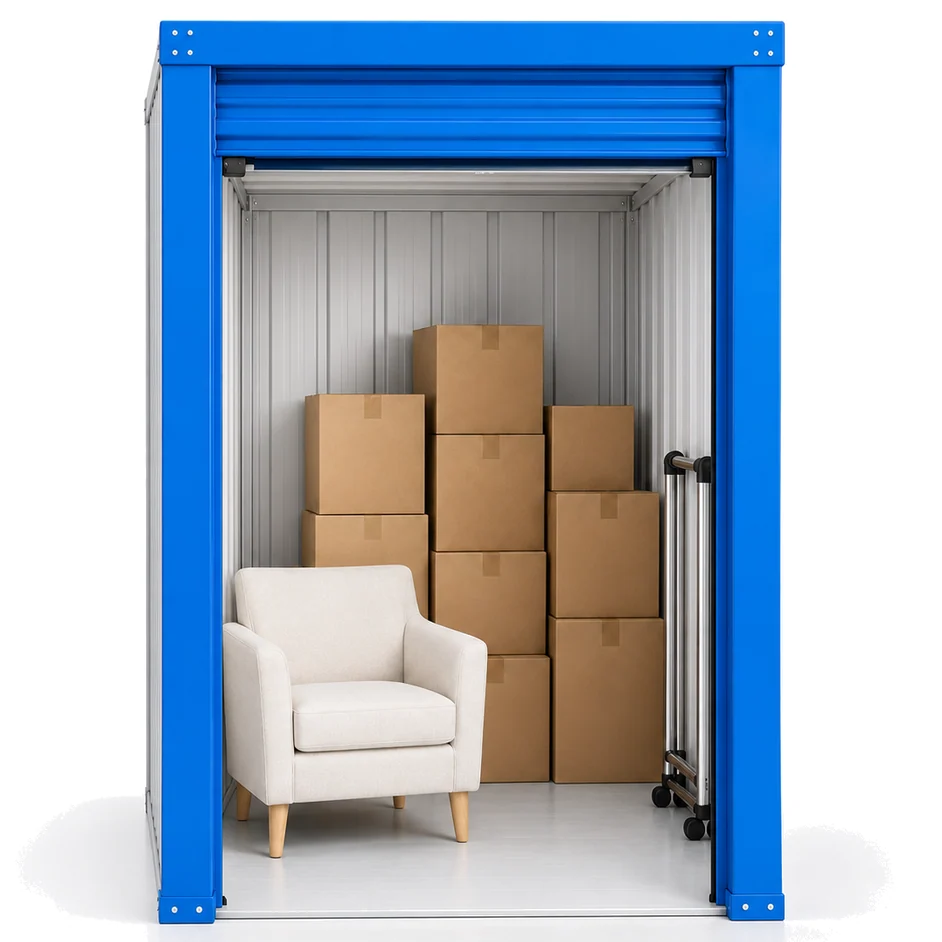
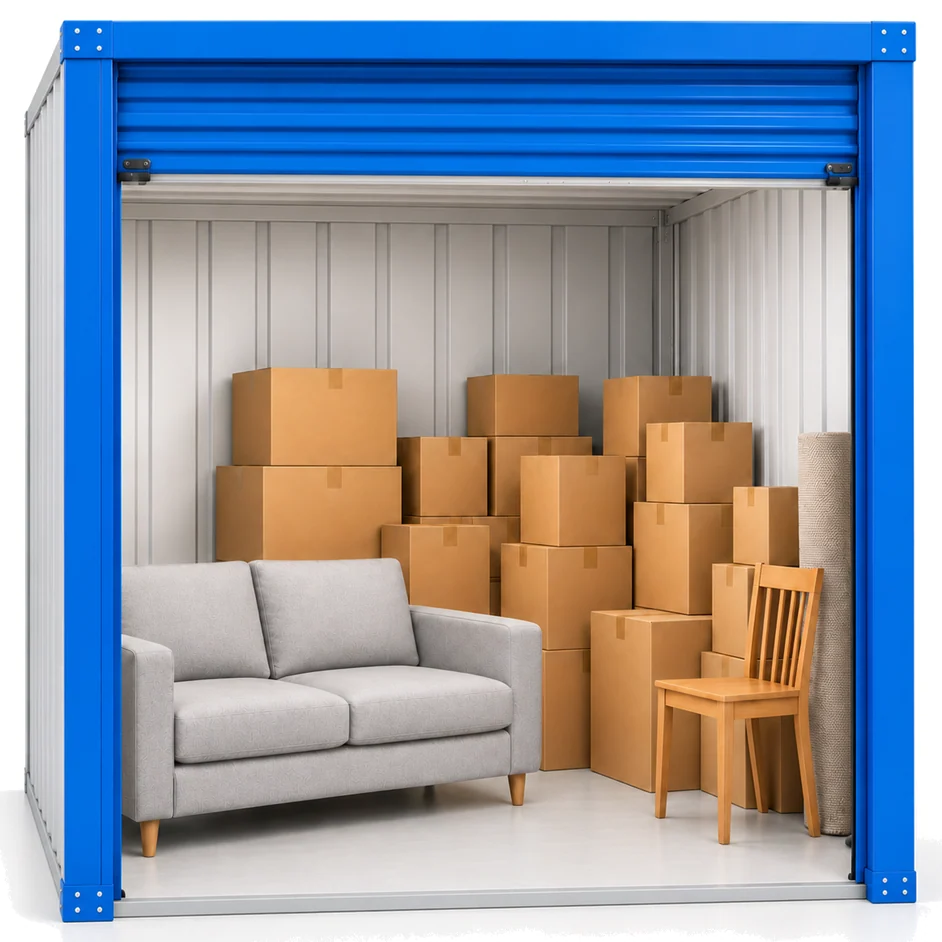

Illustrative sizes and contents. Unit types and availability vary by store.
Shortcode
[wg_size_cards action="button" label="Get a price" store="marlow" note="Illustrative sizes and contents. Unit types and availability vary by store."]
25 sq ft | 2.3 m2 | Boxes & small furniture
50 sq ft | 4.6 m2 | Furniture & belongings
100 sq ft | 9.3 m2 | Larger storage needs
[/wg_size_cards]
FAQ accordion [wg_faq]
Lines: question | answer. open="1" opens the first item; single="0" allows several open at once. Built on , so it still works with JavaScript off. mark="coral" draws coral +/- marks (the store mockup); default blue. Rows sit at the 44px tap-target floor.
What affects the storage price?
When can I access my unit?
How long can I store for?
Shortcode
[wg_faq open="1"]
What affects the storage price? | The store, the unit size and how long you stay.
When can I access my unit? | Access hours are shown on each store page.
How long can I store for? | From a week upwards; the agreement sets the minimum stay.
[/wg_faq]
Numbered steps [wg_steps]
Lines: title | description. variant="cards" (home), "inline" (store page row) or "mini" (the 1-2-3 inside the prices hero card).
- Find your storeChoose a convenient location.
- Choose your spaceCompare unit sizes and get a price.
- Book and move inComplete your booking online, by email or in store. You'll then get a text with your Smart Entry app instructions.
Shortcode
[wg_steps variant="cards"]
Find your store | Choose a convenient location.
Choose your space | Compare unit sizes and get a price.
Book and move in | Complete your booking online, by email or in store. You'll then get a text with your Smart Entry app instructions.
[/wg_steps]
Use-case cards [wg_use_cases]
Lines: icon | title | description | link text | link URL. foot= adds a centred link under the row. variant="marquee" (home, round 10): a looping row with previous/next arrows and a Pause button; speed= in px/s (default 32), label= names the region. It pauses on hover, keyboard focus and touch, when off-screen or the tab is hidden, and never moves for visitors who ask for reduced motion. Without JS it is a plain scrollable row. Icons for the ten storage types: sofa, stopwatch, hourglass, van, car, container, document, cap, briefcase, declutter.
Personal storage
Space for your things while life changes.
Learn more about Personal storageShort-term storage
Weeks or months, between moves or projects.
Learn more about Short-term storageLong-term storage
Keep belongings safe for months or years.
Learn more about Long-term storageDrive-up storage
Drive to your unit and unload with ease.
Learn more about Drive-up storageVehicle storage
A secure space for a car you are not using.
Learn more about Vehicle storageContainer storage
Clean, dry containers for home or business.
Learn more about Container storageDocument storage
Archive files and records securely.
Learn more about Document storageStudent storage
Leave your things with us between terms.
Learn more about Student storageBusiness storage
Room for stock, equipment or archives.
Learn more about Business storageDecluttering
Clear space at home without letting go.
Learn more about Decluttering
Shortcode
[wg_use_cases variant="marquee" label="Storage types"]
sofa | Personal storage | Space for your things while life changes. | Learn more | /storage-types/personal-storage/
stopwatch | Short-term storage | Weeks or months, between moves or projects. | Learn more | /storage-types/short-term-storage/
hourglass | Long-term storage | Keep belongings safe for months or years. | Learn more | /storage-types/long-term-storage/
van | Drive-up storage | Drive to your unit and unload with ease. | Learn more | /storage-types/drive-up-storage/
car | Vehicle storage | A secure space for a car you are not using. | Learn more | /storage-types/vehicle-storage/
container | Container storage | Clean, dry containers for home or business. | Learn more | /storage-types/container-storage/
document | Document storage | Archive files and records securely. | Learn more | /storage-types/document-storage/
cap | Student storage | Leave your things with us between terms. | Learn more | /storage-types/student-storage/
briefcase | Business storage | Room for stock, equipment or archives. | Learn more | /storage-types/business-storage/
declutter | Decluttering | Clear space at home without letting go. | Learn more | /storage-types/decluttering/
[/wg_use_cases]

[wg_use_cases foot="See all facilities and access details|/marlow-self-storage/"]
home | Moving home | Space between moving dates. | Explore storage | /storage-types/
roller | Renovating | Keep furniture clear of the work. | Explore storage | /storage-types/
briefcase | Business storage | Room for stock, equipment or documents. | Explore storage | /storage-types/
[/wg_use_cases]
Town grid [wg_town_grid]
The town chips. Towns are read from the published locations records, so the grid cannot drift. Note the mockups show 15 towns and there are 16 — Bristol Hengrove is missing from every mockup list. arrows="1" for the prices-hub style; base="/storage-prices-%s/" retargets the links.
Shortcode
[wg_town_grid cols="5"]CTA band [wg_cta_band]
Full-width call to action. tint="band|grey|blue". store= fills in both the quote link and the phone number. size="lg" = the home mockup's larger button; default is the compact band.
Ready to find your space?
Find a nearby Wigwam or talk to our team.
Shortcode
[wg_cta_band title="Ready to find your space?" text="Find a nearby Wigwam or talk to our team." button="Find a store|/self-storage-locations/" phone="0800 254 5585"]Introductory offer [wg_promo]
The store's introductory offer, read from its record (offer_enable + offer_banner + offer_banner_link). Renders NOTHING when the store's offer is switched off, so a lapsed offer can never be advertised. Without store= it shows a brand summary computed from every enabled offer ("Up to 75% off your first 8 weeks", with how many stores have one). Usually placed by the hero's promo= attribute; on its own it can sit anywhere. link="Text|URL" overrides the action; note= adds the editor's own small print.
Shortcode
[wg_promo store="marlow"]
[wg_promo]
Entry, security & hours [wg_hero_facts]
The facts self-storage customers look for first: storage access hours, office & phone-support hours (separate from access hours), CCTV, alarmed units, Smart Entry. keys= sets which and in what order (access, hours, cctv, alarmed, smart, online, driveup, clean). With store= a line appears only if that store's record lists the feature; without store= a line that does not hold at every store says how many it holds at. Usually placed by the hero's facts= attribute.
- Storage access6am–10pm, every day
- Office & phone supportMon–Fri 8:30am–6:00pmSat 9:00am–4:00pm
- 24/7 monitored CCTV
- Individually alarmed units
- Smart Entry app
Shortcode
[wg_hero_facts store="marlow"]Security panel [wg_security]
Lines: key | icon | title | text. key is a feature key (cctv, alarmed, smart, access …) or "-" for a line that is always true. With store= a line the store's record does not list is dropped; without store= each line says "At every store" or "At 15 of 16 stores", counted from the records. cols= 2-4.
24/7 monitored CCTV
Cameras cover the site around the clock.
At every storeIndividually alarmed units
Your unit has its own alarm.
At 15 of 16 storesSmart Entry app
Open the gates, doors and your unit from your phone.
At 14 of 16 storesEvery visit logged
Each time a unit is opened is recorded.
Shortcode
[wg_security]
cctv | cctv | 24/7 monitored CCTV | Cameras cover the site around the clock.
alarmed | bell | Individually alarmed units | Your unit has its own alarm.
smart | mobile | Smart Entry app | Open the gates, doors and your unit from your phone.
- | log | Every visit logged | Each time a unit is opened is recorded.
[/wg_security]
USPs: home & business [wg_usps]
Lines: group | icon | title | text. Consecutive lines with the same group form a column with that heading, e.g. "For you and your home" beside "For your business".
For you and your home
- Refunds for unused daysPay only for the storage you use.
- Stay from two weeksShort stays welcome.
For your business
- A log of every visitSee when your unit was opened.
- Digital key sharingGive staff or a courier temporary access from the app.
Shortcode
[wg_usps]
For you and your home | refund | Refunds for unused days | Pay only for the storage you use.
For you and your home | calendar | Stay from two weeks | Short stays welcome.
For you and your home | link | Find your local Wigwam | /self-storage-locations/
For your business | log | A log of every visit | See when your unit was opened.
For your business | key | Digital key sharing | Give staff or a courier temporary access from the app.
[/wg_usps]
Store page
One Wigwam facility. Replaces the current locations page. Sizes, access, where it is, reviews. See the built page
Section wrapper [wg_section]
The wrapper every other element sits in. Gives a block an anchor id, an H2, an intro line, an optional pale band and an optional ghost link on the right. tint="band|grey|blue", tight="1".
Find a size that suits you
Use these examples as a starting point.
Anything can go in here, including other elements.
Shortcode
[wg_section id="example" title="Find a size that suits you" intro="Use these examples as a starting point." tint="band" aside="Explore the size guide|/what-size-storage-unit-do-you-need-a-room-by-room-guide/"]
<p>Anything can go in here, including other elements.</p>
[/wg_section]
Hero (5 variants) [wg_hero]
One hero, five layouts: variant="home|store|area|prices|store-prices". Left column is eyebrow / H1 / lead / address / actions / rating; right column is a photo or whatever element you nest in the body. With store="marlow" the address, phone, quote link and rating all resolve from the locations record; any attribute you type overrides it. Extras: sub= (quieter second lead), address= (override,
allowed), reviews_link="Read reviews|#reviews", points="icon|text; icon|text" (inline trust items), panel="See prices near you" (prices hero: wraps the nested finder and steps in a pale panel), image="kit:store-marlow" (kit image with srcset) or image="store" (the store's first slider photo). Round 10: promo="store|brand" puts the introductory offer above the title (the store's own enabled offer, or a summary computed from every store's); facts="store|brand" adds entry, security and office & support hours (facts_keys="access,hours,cctv,alarmed,smart" sets which, in order; brand facts that do not hold at every store say how many they hold at); map="View on map|#find-us" sits beside the directions link; rating="brand" uses the homepage's Google feed; trustpilot="1" adds Trustpilot's official TrustScore; photos="store" turns the photo into a swipe gallery of the store's OWN photos (other stores' photos and logos are filtered out; photos_skip="1" skips a photo already used as slide 1). Any "Get a price" button takes part in the Get a price / Get a quote test (see wg_promo notes in BUILD-NOTES).
Self storage in Marlow
Choose your space. Get a price. Move in with confidence.
Shortcode
[wg_hero variant="store" store="marlow" eyebrow="WIGWAM MARLOW" title="Self storage in Marlow" lead="Choose your space. Get a price. Move in with confidence." primary="Get a price|" help="Need help choosing?" directions="Get directions|"]Google rating line [wg_rating_line]
Renders the store's live Google review widget. Takes NO rating attribute by design — a score is never a shortcode default. Where a store has no badge configured it renders nothing rather than a number. When the review plugin holds the store's place data it draws the compact one-line rating ("5.0 on Google · 34 reviews") from that stored data; otherwise the plugin's badge. brand="1" reads the homepage's own Google feed (the live homepage's Customer Reviews). trustpilot="1" adds Trustpilot's official TrustScore and review count, fetched from Trustpilot's TrustBox data endpoint, cached 12h, last good answer kept; it never renders a typed number.
Shortcode
[wg_rating_line store="marlow" trustpilot="1" link="Read reviews|#reviews"]Reviews carousel [wg_reviews]
A band around the review PLUGINS, never a rebuild of them. Round 10: source="brand" now wraps the SAME Google feed as the live homepage's Customer Reviews block ([grw id=N], N read from the front page's google_reviews row). Trustpilot carousels are not available: Wigwam's Trustpilot plan is entitled only to the Review Collector TrustBox. source="iur" keeps the old wrapper of [iur_reviews_carousel] (every review, brand-wide - that plugin has no store filter) and passes through its own attributes: per_page, autoplay, show_label, show_title, show_author_name, show_author_image. source="store" (the default when store= is set) wraps [grw id=N] using that store's google_rating_badge, so a heading like "What our Marlow customers say" only ever sits over Marlow's own reviews. A store with no badge renders nothing rather than borrowing brand-wide reviews. tint="grey|white". No scores or counts are ever typed into the shortcode.
Customer Reviews
Shortcode
[wg_reviews title="Customer Reviews" tint="grey" source="brand" per_page="4"]Size cards [wg_size_cards]
The most reused element in the kit — all five page types use it, in four different forms, which is why it is one element and not four. Lines: size | metric | description. action="link|button|none", label= sets the wording, store= points the CTA at that store's quote link, metric="0" hides the m2 line. more="View all sizes & prices|URL" adds a centred link under the cards. size="compact" = the smaller cards of the store-prices mockup. A button label over 12 characters automatically gets a narrower render column so it fits on one line.
Illustrative sizes and contents. Unit types and availability vary by store.
Shortcode
[wg_size_cards action="button" label="Get a price" store="marlow" note="Illustrative sizes and contents. Unit types and availability vary by store."]
25 sq ft | 2.3 m2 | Boxes & small furniture
50 sq ft | 4.6 m2 | Furniture & belongings
100 sq ft | 9.3 m2 | Larger storage needs
[/wg_size_cards]
FAQ accordion [wg_faq]
Lines: question | answer. open="1" opens the first item; single="0" allows several open at once. Built on , so it still works with JavaScript off. mark="coral" draws coral +/- marks (the store mockup); default blue. Rows sit at the 44px tap-target floor.
What affects the storage price?
When can I access my unit?
How long can I store for?
Shortcode
[wg_faq open="1"]
What affects the storage price? | The store, the unit size and how long you stay.
When can I access my unit? | Access hours are shown on each store page.
How long can I store for? | From a week upwards; the agreement sets the minimum stay.
[/wg_faq]
Numbered steps [wg_steps]
Lines: title | description. variant="cards" (home), "inline" (store page row) or "mini" (the 1-2-3 inside the prices hero card).
- Find your storeChoose a convenient location.
- Choose your spaceCompare unit sizes and get a price.
- Book and move inComplete your booking online, by email or in store. You'll then get a text with your Smart Entry app instructions.
Shortcode
[wg_steps variant="cards"]
Find your store | Choose a convenient location.
Choose your space | Compare unit sizes and get a price.
Book and move in | Complete your booking online, by email or in store. You'll then get a text with your Smart Entry app instructions.
[/wg_steps]
Two-up info strip [wg_info_duo]
Lines: icon | title | description. The pair under the size cards on the store page.
Shortcode
[wg_info_duo]
coins | Know what you're paying for | Check the rental rate, any introductory offer, VAT and contents protection with your quote.
refund | Refunds for unused storage days | Minimum stay and notice conditions apply.
[/wg_info_duo]
Access panel [wg_access_panel]
Two-column "Access that fits your day". Put two [wg_access_col] blocks inside it; [wg_hours] renders the office-hours table. Per-store office hours are not held anywhere, so [wg_hours] without explicit lines shows a visible gap rather than inventing times. hours="marlow" on a column adds the office-hours row inside that column.
Loading & support
Ask us about parking and unloading.
Smart entry & security
Shortcode
[wg_access_panel store="marlow"]
[wg_access_col title="Loading & support" foot="Ask us about parking and unloading."]
clock | Storage access | 6am-10pm, every day.
[/wg_access_col]
[wg_access_col title="Smart entry & security"]
mobile | Smartphone entry | Easy, secure access to your unit.
bell | Individually alarmed units | Each unit is individually alarmed.
[/wg_access_col]
[/wg_access_panel]
Opening hours table [wg_hours]
Lines: day | time. With no lines it looks for a confirmed fact for that store, and with neither it renders a visible "not confirmed" marker. It will not guess opening hours.
| Mon - Fri | 9am - 6pm |
|---|---|
| Saturday | 9am - 2pm |
| Sunday | closed |
Shortcode
[wg_hours title="Office hours" store="marlow"]
Mon - Fri | 9am - 6pm
Saturday | 9am - 2pm
Sunday | closed
[/wg_hours]
Store map + details [wg_store_map]
Map beside the store's address, phone and Google Maps link, all resolved from the record. title= overrides the heading; call="Call the Marlow team" adds a tel link; route= adds small print.
Marlow Self Storage
Unit S, Thames Industrial Estate, Fieldhouse Lane, Marlow, SL7 1TB
On Thames Industrial Estate, near Marlow railway station.
Open in Google MapsShortcode
[wg_store_map store="marlow" note="On Thames Industrial Estate, near Marlow railway station."]Nearby area links [wg_area_links]
Lines: label | URL | sublabel. variant="chips" (area sidebar) or "cards" (store page, with the "Local guide" sublabel).
- Storage near CookhamLocal guide
- Storage near Bourne EndLocal guide
- Storage near MaidenheadLocal guide
These areas are served by our Marlow facility.
Shortcode
[wg_area_links variant="cards" cols="3" foot="These areas are served by our Marlow facility."]
Storage near Cookham | /zz-new-near-cookham/ | Local guide
Storage near Bourne End | | Local guide
Storage near Maidenhead | | Local guide
[/wg_area_links]
Anchor jump bar [wg_anchor_nav]
Lines: label | #anchor. Pair the anchors with id= on each [wg_section].
Shortcode
[wg_anchor_nav]
Sizes & prices | #sizes
Access & facilities | #access
Find us | #find-us
Reviews | #reviews
FAQs | #faqs
[/wg_anchor_nav]
CTA band [wg_cta_band]
Full-width call to action. tint="band|grey|blue". store= fills in both the quote link and the phone number. size="lg" = the home mockup's larger button; default is the compact band.
Ready to find your space?
Find a nearby Wigwam or talk to our team.
Shortcode
[wg_cta_band title="Ready to find your space?" text="Find a nearby Wigwam or talk to our team." button="Find a store|/self-storage-locations/" phone="0800 254 5585"]Introductory offer [wg_promo]
The store's introductory offer, read from its record (offer_enable + offer_banner + offer_banner_link). Renders NOTHING when the store's offer is switched off, so a lapsed offer can never be advertised. Without store= it shows a brand summary computed from every enabled offer ("Up to 75% off your first 8 weeks", with how many stores have one). Usually placed by the hero's promo= attribute; on its own it can sit anywhere. link="Text|URL" overrides the action; note= adds the editor's own small print.
Shortcode
[wg_promo store="marlow"]
[wg_promo]
Entry, security & hours [wg_hero_facts]
The facts self-storage customers look for first: storage access hours, office & phone-support hours (separate from access hours), CCTV, alarmed units, Smart Entry. keys= sets which and in what order (access, hours, cctv, alarmed, smart, online, driveup, clean). With store= a line appears only if that store's record lists the feature; without store= a line that does not hold at every store says how many it holds at. Usually placed by the hero's facts= attribute.
- Storage access6am–10pm, every day
- Office & phone supportMon–Fri 8:30am–6:00pmSat 9:00am–4:00pm
- 24/7 monitored CCTV
- Individually alarmed units
- Smart Entry app
Shortcode
[wg_hero_facts store="marlow"]Security panel [wg_security]
Lines: key | icon | title | text. key is a feature key (cctv, alarmed, smart, access …) or "-" for a line that is always true. With store= a line the store's record does not list is dropped; without store= each line says "At every store" or "At 15 of 16 stores", counted from the records. cols= 2-4.
24/7 monitored CCTV
Cameras cover the site around the clock.
At every storeIndividually alarmed units
Your unit has its own alarm.
At 15 of 16 storesSmart Entry app
Open the gates, doors and your unit from your phone.
At 14 of 16 storesEvery visit logged
Each time a unit is opened is recorded.
Shortcode
[wg_security]
cctv | cctv | 24/7 monitored CCTV | Cameras cover the site around the clock.
alarmed | bell | Individually alarmed units | Your unit has its own alarm.
smart | mobile | Smart Entry app | Open the gates, doors and your unit from your phone.
- | log | Every visit logged | Each time a unit is opened is recorded.
[/wg_security]
USPs: home & business [wg_usps]
Lines: group | icon | title | text. Consecutive lines with the same group form a column with that heading, e.g. "For you and your home" beside "For your business".
For you and your home
- Refunds for unused daysPay only for the storage you use.
- Stay from two weeksShort stays welcome.
For your business
- A log of every visitSee when your unit was opened.
- Digital key sharingGive staff or a courier temporary access from the app.
Shortcode
[wg_usps]
For you and your home | refund | Refunds for unused days | Pay only for the storage you use.
For you and your home | calendar | Stay from two weeks | Short stays welcome.
For you and your home | link | Find your local Wigwam | /self-storage-locations/
For your business | log | A log of every visit | See when your unit was opened.
For your business | key | Digital key sharing | Give staff or a courier temporary access from the app.
[/wg_usps]
Store photo gallery [wg_store_gallery]
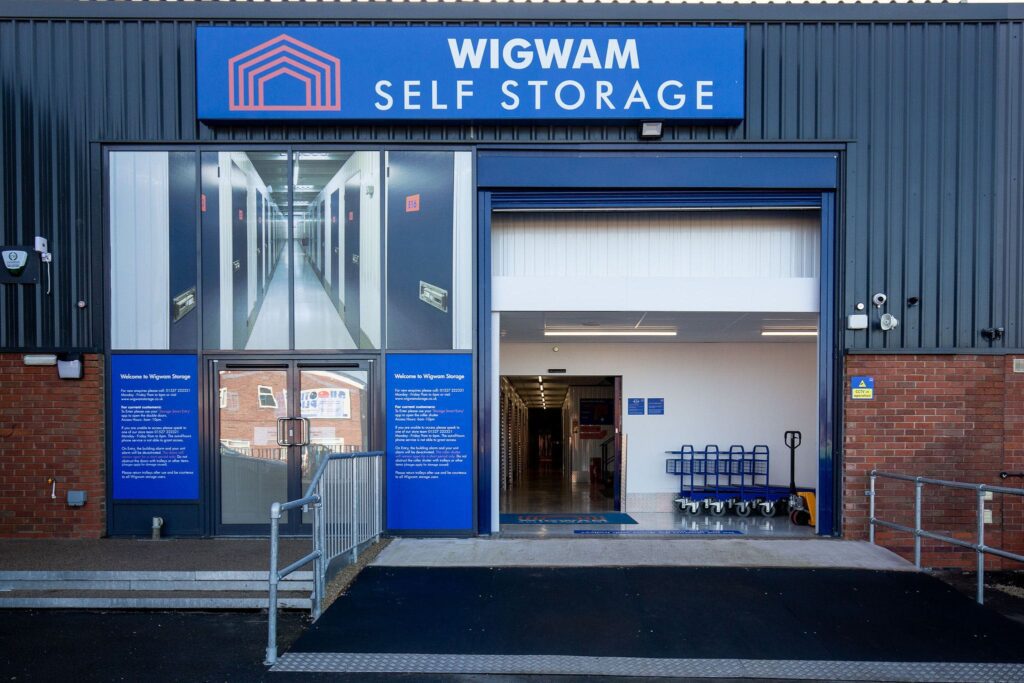
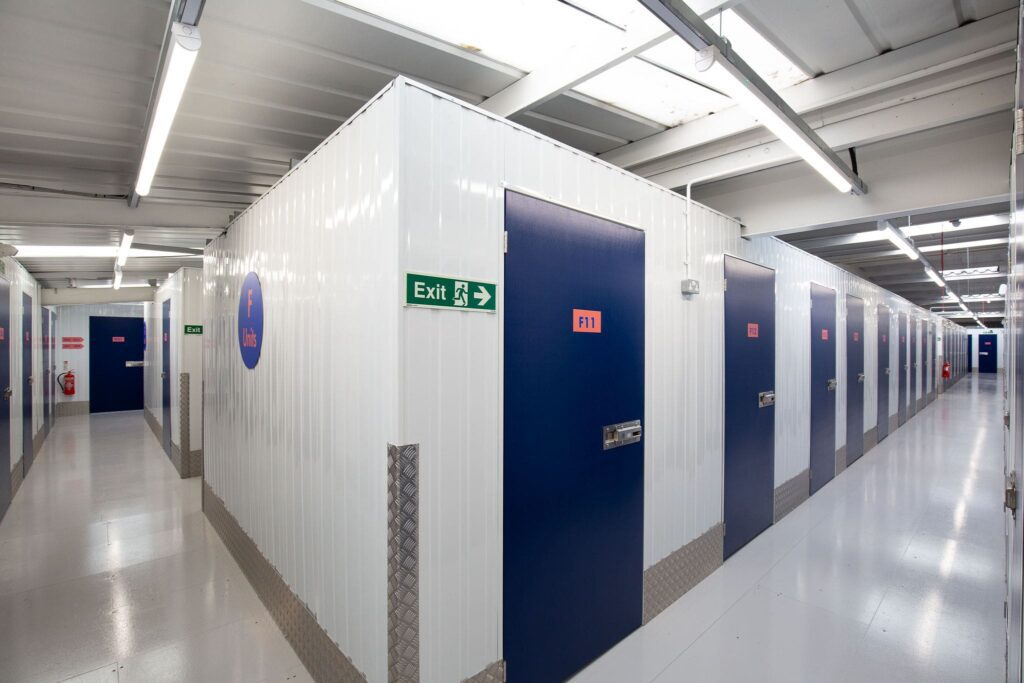
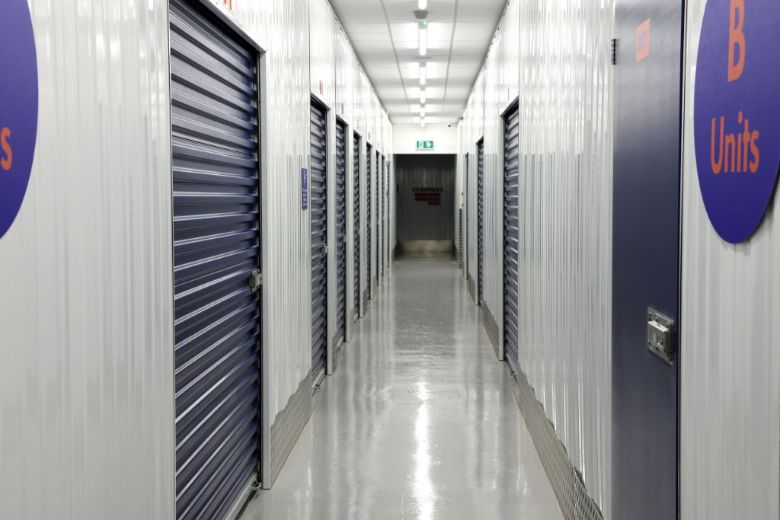
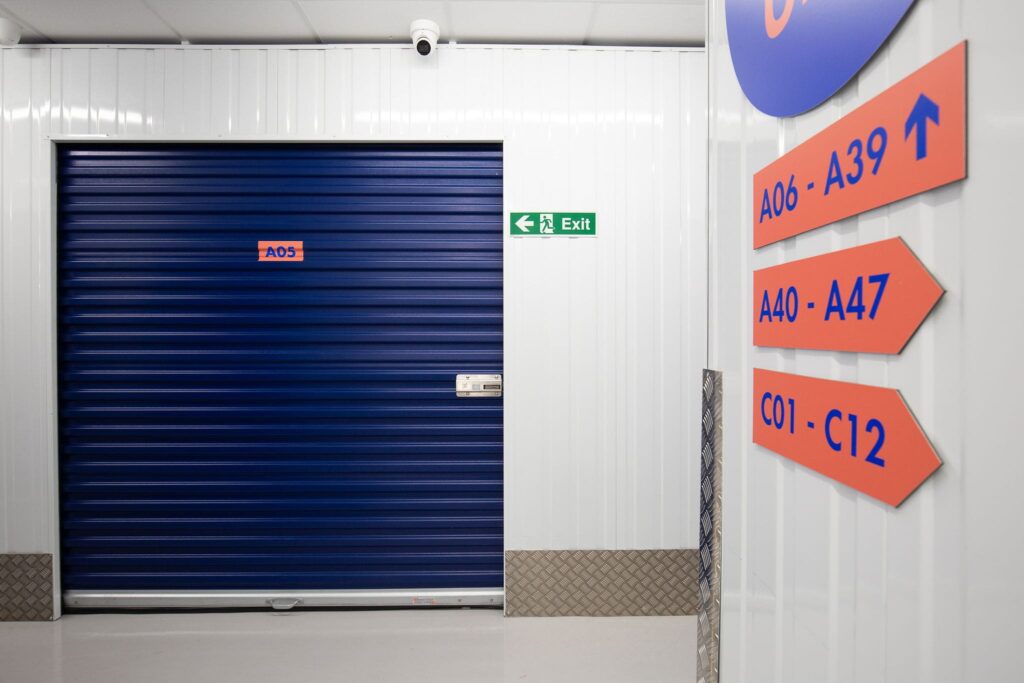
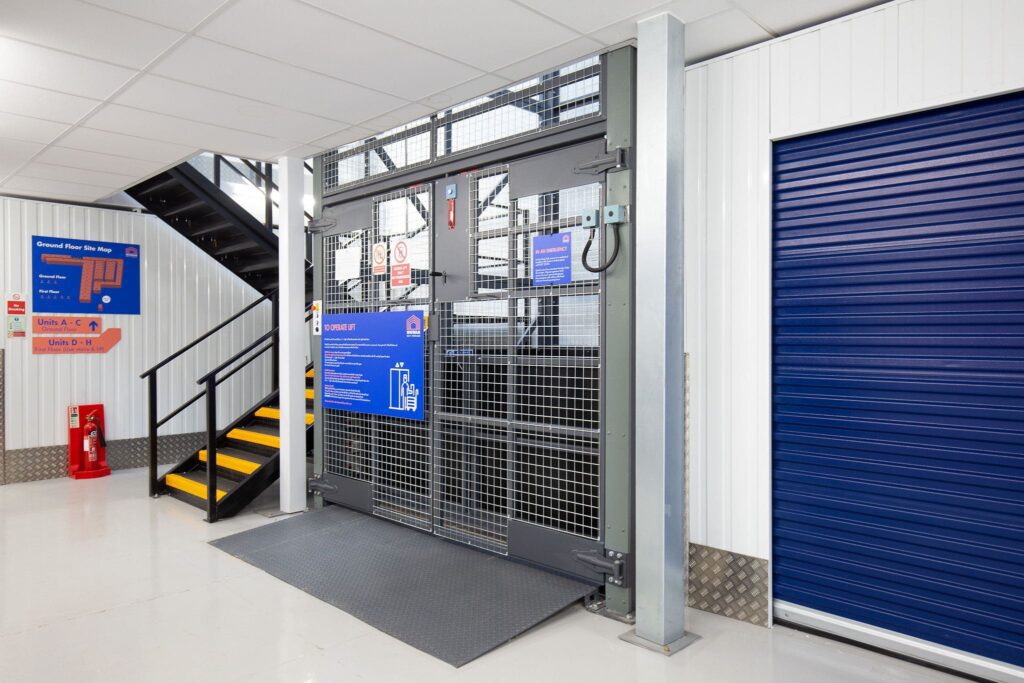
A swipeable gallery of the store's OWN photos from its image_slider: photos attached to another store, or naming another town in the file name or alt text, and logos/thumbnails are left out. With one photo it renders that photo without controls. Arrow keys, swipe and the two buttons all move it. On the store page it is the hero photo (hero photos="store"), replacing the separate "View store gallery" link. Marlow's slider currently holds 1 Marlow photo and 5 Bromsgrove photos, so Marlow shows one photo until real ones are added.
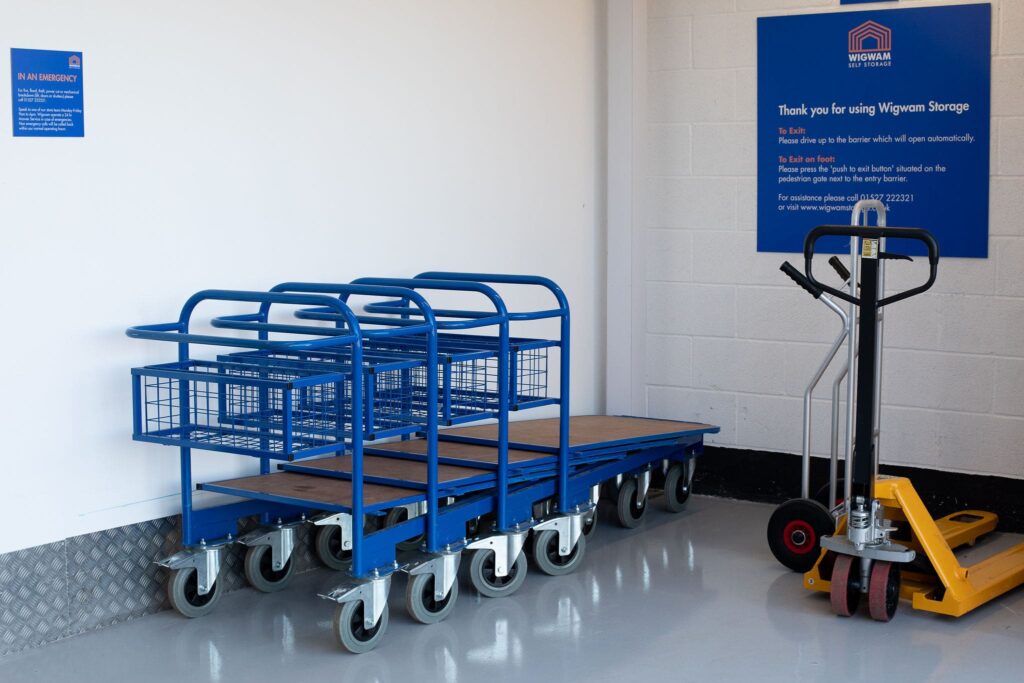
Shortcode
[wg_store_gallery store="bromsgrove"]Area page
A nearby town served by a store ("Self storage near Cookham"). New page type. See the built page
Section wrapper [wg_section]
The wrapper every other element sits in. Gives a block an anchor id, an H2, an intro line, an optional pale band and an optional ghost link on the right. tint="band|grey|blue", tight="1".
Find a size that suits you
Use these examples as a starting point.
Anything can go in here, including other elements.
Shortcode
[wg_section id="example" title="Find a size that suits you" intro="Use these examples as a starting point." tint="band" aside="Explore the size guide|/what-size-storage-unit-do-you-need-a-room-by-room-guide/"]
<p>Anything can go in here, including other elements.</p>
[/wg_section]
Two columns (main + sidebar) [wg_two_col]
Splits a section into a wide main column and a narrower sidebar. Put [wg_col_break] between them. ratio="wide|even".
Is there a Wigwam store in Cookham?
Shortcode
[wg_two_col]
[wg_faq open="1"]
Is there a Wigwam store in Cookham? | We serve Cookham from Wigwam Marlow on Fieldhouse Lane.
[/wg_faq]
[wg_col_break]
[wg_cta_card title="Find your space" text="Choose your size and get a price." button="Check prices|https://quote.wigwamstorage.co.uk/"]
[/wg_two_col]
Callout note [wg_note]
A tinted callout. tone="amber|info|notice". The "Travelling by van?" box on the area page is the amber one.
Shortcode
[wg_note title="Travelling by van?" icon="van" tone="amber" link="Check travel updates|https://www.gov.uk/traffic-information"]Check bridge restrictions and current roadworks before setting off.[/wg_note]Hero (5 variants) [wg_hero]
One hero, five layouts: variant="home|store|area|prices|store-prices". Left column is eyebrow / H1 / lead / address / actions / rating; right column is a photo or whatever element you nest in the body. With store="marlow" the address, phone, quote link and rating all resolve from the locations record; any attribute you type overrides it. Extras: sub= (quieter second lead), address= (override,
allowed), reviews_link="Read reviews|#reviews", points="icon|text; icon|text" (inline trust items), panel="See prices near you" (prices hero: wraps the nested finder and steps in a pale panel), image="kit:store-marlow" (kit image with srcset) or image="store" (the store's first slider photo). Round 10: promo="store|brand" puts the introductory offer above the title (the store's own enabled offer, or a summary computed from every store's); facts="store|brand" adds entry, security and office & support hours (facts_keys="access,hours,cctv,alarmed,smart" sets which, in order; brand facts that do not hold at every store say how many they hold at); map="View on map|#find-us" sits beside the directions link; rating="brand" uses the homepage's Google feed; trustpilot="1" adds Trustpilot's official TrustScore; photos="store" turns the photo into a swipe gallery of the store's OWN photos (other stores' photos and logos are filtered out; photos_skip="1" skips a photo already used as slide 1). Any "Get a price" button takes part in the Get a price / Get a quote test (see wg_promo notes in BUILD-NOTES).
Self storage in Marlow
Choose your space. Get a price. Move in with confidence.
Shortcode
[wg_hero variant="store" store="marlow" eyebrow="WIGWAM MARLOW" title="Self storage in Marlow" lead="Choose your space. Get a price. Move in with confidence." primary="Get a price|" help="Need help choosing?" directions="Get directions|"]Trust strip [wg_trust_strip]
Three icon items. Lines: icon | title | subtitle. note= and link= add the small print and the "Read the terms" link under it.
*Subject to minimum stay and notice terms. Read the terms
Shortcode
[wg_trust_strip note="*Subject to minimum stay and notice terms." link="Read the terms|/terms-conditions/"]
calendar | Access 7 days a week | 6am-10pm
bell | Individually alarmed units |
refund | Refunds for unused storage days* |
[/wg_trust_strip]
Google rating line [wg_rating_line]
Renders the store's live Google review widget. Takes NO rating attribute by design — a score is never a shortcode default. Where a store has no badge configured it renders nothing rather than a number. When the review plugin holds the store's place data it draws the compact one-line rating ("5.0 on Google · 34 reviews") from that stored data; otherwise the plugin's badge. brand="1" reads the homepage's own Google feed (the live homepage's Customer Reviews). trustpilot="1" adds Trustpilot's official TrustScore and review count, fetched from Trustpilot's TrustBox data endpoint, cached 12h, last good answer kept; it never renders a typed number.
Shortcode
[wg_rating_line store="marlow" trustpilot="1" link="Read reviews|#reviews"]Reviews carousel [wg_reviews]
A band around the review PLUGINS, never a rebuild of them. Round 10: source="brand" now wraps the SAME Google feed as the live homepage's Customer Reviews block ([grw id=N], N read from the front page's google_reviews row). Trustpilot carousels are not available: Wigwam's Trustpilot plan is entitled only to the Review Collector TrustBox. source="iur" keeps the old wrapper of [iur_reviews_carousel] (every review, brand-wide - that plugin has no store filter) and passes through its own attributes: per_page, autoplay, show_label, show_title, show_author_name, show_author_image. source="store" (the default when store= is set) wraps [grw id=N] using that store's google_rating_badge, so a heading like "What our Marlow customers say" only ever sits over Marlow's own reviews. A store with no badge renders nothing rather than borrowing brand-wide reviews. tint="grey|white". No scores or counts are ever typed into the shortcode.
Customer Reviews
Shortcode
[wg_reviews title="Customer Reviews" tint="grey" source="brand" per_page="4"]Size cards [wg_size_cards]
The most reused element in the kit — all five page types use it, in four different forms, which is why it is one element and not four. Lines: size | metric | description. action="link|button|none", label= sets the wording, store= points the CTA at that store's quote link, metric="0" hides the m2 line. more="View all sizes & prices|URL" adds a centred link under the cards. size="compact" = the smaller cards of the store-prices mockup. A button label over 12 characters automatically gets a narrower render column so it fits on one line.
Illustrative sizes and contents. Unit types and availability vary by store.
Shortcode
[wg_size_cards action="button" label="Get a price" store="marlow" note="Illustrative sizes and contents. Unit types and availability vary by store."]
25 sq ft | 2.3 m2 | Boxes & small furniture
50 sq ft | 4.6 m2 | Furniture & belongings
100 sq ft | 9.3 m2 | Larger storage needs
[/wg_size_cards]
FAQ accordion [wg_faq]
Lines: question | answer. open="1" opens the first item; single="0" allows several open at once. Built on , so it still works with JavaScript off. mark="coral" draws coral +/- marks (the store mockup); default blue. Rows sit at the 44px tap-target floor.
What affects the storage price?
When can I access my unit?
How long can I store for?
Shortcode
[wg_faq open="1"]
What affects the storage price? | The store, the unit size and how long you stay.
When can I access my unit? | Access hours are shown on each store page.
How long can I store for? | From a week upwards; the agreement sets the minimum stay.
[/wg_faq]
Use-case cards [wg_use_cases]
Lines: icon | title | description | link text | link URL. foot= adds a centred link under the row. variant="marquee" (home, round 10): a looping row with previous/next arrows and a Pause button; speed= in px/s (default 32), label= names the region. It pauses on hover, keyboard focus and touch, when off-screen or the tab is hidden, and never moves for visitors who ask for reduced motion. Without JS it is a plain scrollable row. Icons for the ten storage types: sofa, stopwatch, hourglass, van, car, container, document, cap, briefcase, declutter.
Personal storage
Space for your things while life changes.
Learn more about Personal storageShort-term storage
Weeks or months, between moves or projects.
Learn more about Short-term storageLong-term storage
Keep belongings safe for months or years.
Learn more about Long-term storageDrive-up storage
Drive to your unit and unload with ease.
Learn more about Drive-up storageVehicle storage
A secure space for a car you are not using.
Learn more about Vehicle storageContainer storage
Clean, dry containers for home or business.
Learn more about Container storageDocument storage
Archive files and records securely.
Learn more about Document storageStudent storage
Leave your things with us between terms.
Learn more about Student storageBusiness storage
Room for stock, equipment or archives.
Learn more about Business storageDecluttering
Clear space at home without letting go.
Learn more about Decluttering
Shortcode
[wg_use_cases variant="marquee" label="Storage types"]
sofa | Personal storage | Space for your things while life changes. | Learn more | /storage-types/personal-storage/
stopwatch | Short-term storage | Weeks or months, between moves or projects. | Learn more | /storage-types/short-term-storage/
hourglass | Long-term storage | Keep belongings safe for months or years. | Learn more | /storage-types/long-term-storage/
van | Drive-up storage | Drive to your unit and unload with ease. | Learn more | /storage-types/drive-up-storage/
car | Vehicle storage | A secure space for a car you are not using. | Learn more | /storage-types/vehicle-storage/
container | Container storage | Clean, dry containers for home or business. | Learn more | /storage-types/container-storage/
document | Document storage | Archive files and records securely. | Learn more | /storage-types/document-storage/
cap | Student storage | Leave your things with us between terms. | Learn more | /storage-types/student-storage/
briefcase | Business storage | Room for stock, equipment or archives. | Learn more | /storage-types/business-storage/
declutter | Decluttering | Clear space at home without letting go. | Learn more | /storage-types/decluttering/
[/wg_use_cases]

[wg_use_cases foot="See all facilities and access details|/marlow-self-storage/"]
home | Moving home | Space between moving dates. | Explore storage | /storage-types/
roller | Renovating | Keep furniture clear of the work. | Explore storage | /storage-types/
briefcase | Business storage | Room for stock, equipment or documents. | Explore storage | /storage-types/
[/wg_use_cases]
Directions + map [wg_directions]
"Getting here from X": a detail card beside a map. The body is free content, so a [wg_note] can sit inside it. The map is an embed, not the Google Maps JS API, so no third-party script is added.
Head to our Marlow store
Unit S, Thames Industrial Estate, Fieldhouse Lane, Marlow, SL7 1TB
Shortcode
[wg_directions title="Head to our Marlow store" store="marlow" button="Directions from Cookham|https://maps.google.com/"]<p>Unit S, Thames Industrial Estate, Fieldhouse Lane, Marlow, SL7 1TB</p>
[/wg_directions]
Nearby area links [wg_area_links]
Lines: label | URL | sublabel. variant="chips" (area sidebar) or "cards" (store page, with the "Local guide" sublabel).
- Storage near CookhamLocal guide
- Storage near Bourne EndLocal guide
- Storage near MaidenheadLocal guide
These areas are served by our Marlow facility.
Shortcode
[wg_area_links variant="cards" cols="3" foot="These areas are served by our Marlow facility."]
Storage near Cookham | /zz-new-near-cookham/ | Local guide
Storage near Bourne End | | Local guide
Storage near Maidenhead | | Local guide
[/wg_area_links]
Introductory offer [wg_promo]
The store's introductory offer, read from its record (offer_enable + offer_banner + offer_banner_link). Renders NOTHING when the store's offer is switched off, so a lapsed offer can never be advertised. Without store= it shows a brand summary computed from every enabled offer ("Up to 75% off your first 8 weeks", with how many stores have one). Usually placed by the hero's promo= attribute; on its own it can sit anywhere. link="Text|URL" overrides the action; note= adds the editor's own small print.
Shortcode
[wg_promo store="marlow"]
[wg_promo]
Entry, security & hours [wg_hero_facts]
The facts self-storage customers look for first: storage access hours, office & phone-support hours (separate from access hours), CCTV, alarmed units, Smart Entry. keys= sets which and in what order (access, hours, cctv, alarmed, smart, online, driveup, clean). With store= a line appears only if that store's record lists the feature; without store= a line that does not hold at every store says how many it holds at. Usually placed by the hero's facts= attribute.
- Storage access6am–10pm, every day
- Office & phone supportMon–Fri 8:30am–6:00pmSat 9:00am–4:00pm
- 24/7 monitored CCTV
- Individually alarmed units
- Smart Entry app
Shortcode
[wg_hero_facts store="marlow"]CTA card [wg_cta_card]
The boxed call to action for a sidebar. store= fills in the quote link and phone number.
Find your space at Wigwam Marlow
Choose your size and get a price for our Marlow store.
Check Marlow pricesCall 01628 769004
Shortcode
[wg_cta_card title="Find your space at Wigwam Marlow" text="Choose your size and get a price for our Marlow store." button="Check Marlow prices|" store="marlow"]Prices hub
Brand-level pricing explainer and the route into a store price page. See the built page
Section wrapper [wg_section]
The wrapper every other element sits in. Gives a block an anchor id, an H2, an intro line, an optional pale band and an optional ghost link on the right. tint="band|grey|blue", tight="1".
Find a size that suits you
Use these examples as a starting point.
Anything can go in here, including other elements.
Shortcode
[wg_section id="example" title="Find a size that suits you" intro="Use these examples as a starting point." tint="band" aside="Explore the size guide|/what-size-storage-unit-do-you-need-a-room-by-room-guide/"]
<p>Anything can go in here, including other elements.</p>
[/wg_section]
Hero (5 variants) [wg_hero]
One hero, five layouts: variant="home|store|area|prices|store-prices". Left column is eyebrow / H1 / lead / address / actions / rating; right column is a photo or whatever element you nest in the body. With store="marlow" the address, phone, quote link and rating all resolve from the locations record; any attribute you type overrides it. Extras: sub= (quieter second lead), address= (override,
allowed), reviews_link="Read reviews|#reviews", points="icon|text; icon|text" (inline trust items), panel="See prices near you" (prices hero: wraps the nested finder and steps in a pale panel), image="kit:store-marlow" (kit image with srcset) or image="store" (the store's first slider photo). Round 10: promo="store|brand" puts the introductory offer above the title (the store's own enabled offer, or a summary computed from every store's); facts="store|brand" adds entry, security and office & support hours (facts_keys="access,hours,cctv,alarmed,smart" sets which, in order; brand facts that do not hold at every store say how many they hold at); map="View on map|#find-us" sits beside the directions link; rating="brand" uses the homepage's Google feed; trustpilot="1" adds Trustpilot's official TrustScore; photos="store" turns the photo into a swipe gallery of the store's OWN photos (other stores' photos and logos are filtered out; photos_skip="1" skips a photo already used as slide 1). Any "Get a price" button takes part in the Get a price / Get a quote test (see wg_promo notes in BUILD-NOTES).
Self storage in Marlow
Choose your space. Get a price. Move in with confidence.
Shortcode
[wg_hero variant="store" store="marlow" eyebrow="WIGWAM MARLOW" title="Self storage in Marlow" lead="Choose your space. Get a price. Move in with confidence." primary="Get a price|" help="Need help choosing?" directions="Get directions|"]Store finder [wg_store_finder]
Postcode/town box that posts to the existing location search. variant="card|inline". Lines are optional helper links: Text | URL.
Choose a store, compare unit sizes and get a price.
Shortcode
[wg_store_finder title="Where do you need storage?" note="Choose a store, compare unit sizes and get a price."]
Help me choose a size | /what-size-storage-unit-do-you-need-a-room-by-room-guide/
[/wg_store_finder]
Trust strip [wg_trust_strip]
Three icon items. Lines: icon | title | subtitle. note= and link= add the small print and the "Read the terms" link under it.
*Subject to minimum stay and notice terms. Read the terms
Shortcode
[wg_trust_strip note="*Subject to minimum stay and notice terms." link="Read the terms|/terms-conditions/"]
calendar | Access 7 days a week | 6am-10pm
bell | Individually alarmed units |
refund | Refunds for unused storage days* |
[/wg_trust_strip]
Google rating line [wg_rating_line]
Renders the store's live Google review widget. Takes NO rating attribute by design — a score is never a shortcode default. Where a store has no badge configured it renders nothing rather than a number. When the review plugin holds the store's place data it draws the compact one-line rating ("5.0 on Google · 34 reviews") from that stored data; otherwise the plugin's badge. brand="1" reads the homepage's own Google feed (the live homepage's Customer Reviews). trustpilot="1" adds Trustpilot's official TrustScore and review count, fetched from Trustpilot's TrustBox data endpoint, cached 12h, last good answer kept; it never renders a typed number.
Shortcode
[wg_rating_line store="marlow" trustpilot="1" link="Read reviews|#reviews"]Reviews carousel [wg_reviews]
A band around the review PLUGINS, never a rebuild of them. Round 10: source="brand" now wraps the SAME Google feed as the live homepage's Customer Reviews block ([grw id=N], N read from the front page's google_reviews row). Trustpilot carousels are not available: Wigwam's Trustpilot plan is entitled only to the Review Collector TrustBox. source="iur" keeps the old wrapper of [iur_reviews_carousel] (every review, brand-wide - that plugin has no store filter) and passes through its own attributes: per_page, autoplay, show_label, show_title, show_author_name, show_author_image. source="store" (the default when store= is set) wraps [grw id=N] using that store's google_rating_badge, so a heading like "What our Marlow customers say" only ever sits over Marlow's own reviews. A store with no badge renders nothing rather than borrowing brand-wide reviews. tint="grey|white". No scores or counts are ever typed into the shortcode.
Customer Reviews
Shortcode
[wg_reviews title="Customer Reviews" tint="grey" source="brand" per_page="4"]Size cards [wg_size_cards]
The most reused element in the kit — all five page types use it, in four different forms, which is why it is one element and not four. Lines: size | metric | description. action="link|button|none", label= sets the wording, store= points the CTA at that store's quote link, metric="0" hides the m2 line. more="View all sizes & prices|URL" adds a centred link under the cards. size="compact" = the smaller cards of the store-prices mockup. A button label over 12 characters automatically gets a narrower render column so it fits on one line.
Illustrative sizes and contents. Unit types and availability vary by store.
Shortcode
[wg_size_cards action="button" label="Get a price" store="marlow" note="Illustrative sizes and contents. Unit types and availability vary by store."]
25 sq ft | 2.3 m2 | Boxes & small furniture
50 sq ft | 4.6 m2 | Furniture & belongings
100 sq ft | 9.3 m2 | Larger storage needs
[/wg_size_cards]
Size help bar [wg_size_help_bar]
The "Not sure which size?" line under a price table. store= pulls that store's phone number.
Shortcode
[wg_size_help_bar text="Not sure which size?" link="Explore the size guide|/what-size-storage-unit-do-you-need-a-room-by-room-guide/" store="marlow"]Payment table [wg_payment_table]
"Understand what you will pay". Lines: icon | payment item | when it applies | what to check. note= and link= render the info bar underneath (several links separated by ";").
| Payment item | When it applies | What to check |
|---|---|---|
| Storage rental | Ongoing | Your chosen store, unit and billing period. |
| VAT | With your rental | Check the VAT-inclusive rental total. |
| Contents Protection | If using Wigwam cover | The cost depends on the replacement value of your goods. |
Shortcode
[wg_payment_table note="Contents cover must remain in place while you store." link="Contents Protection options|/contents-protection/"]
home | Storage rental | Ongoing | Your chosen store, unit and billing period.
percent | VAT | With your rental | Check the VAT-inclusive rental total.
shield | Contents Protection | If using Wigwam cover | The cost depends on the replacement value of your goods.
[/wg_payment_table]
Price factors [wg_price_factors]
"What affects your storage price?" Lines: icon | title | description.
How long you store affects the total you pay. Check your quote and terms before booking.
Shortcode
[wg_price_factors foot="How long you store affects the total you pay. Check your quote and terms before booking."]
pin | Your store | Rental rates vary between locations.
cube | Your unit size | Choose enough room for your belongings.
grid | Unit type and availability | Compare the options offered at your store.
[/wg_price_factors]
FAQ accordion [wg_faq]
Lines: question | answer. open="1" opens the first item; single="0" allows several open at once. Built on , so it still works with JavaScript off. mark="coral" draws coral +/- marks (the store mockup); default blue. Rows sit at the 44px tap-target floor.
What affects the storage price?
When can I access my unit?
How long can I store for?
Shortcode
[wg_faq open="1"]
What affects the storage price? | The store, the unit size and how long you stay.
When can I access my unit? | Access hours are shown on each store page.
How long can I store for? | From a week upwards; the agreement sets the minimum stay.
[/wg_faq]
Numbered steps [wg_steps]
Lines: title | description. variant="cards" (home), "inline" (store page row) or "mini" (the 1-2-3 inside the prices hero card).
- Find your storeChoose a convenient location.
- Choose your spaceCompare unit sizes and get a price.
- Book and move inComplete your booking online, by email or in store. You'll then get a text with your Smart Entry app instructions.
Shortcode
[wg_steps variant="cards"]
Find your store | Choose a convenient location.
Choose your space | Compare unit sizes and get a price.
Book and move in | Complete your booking online, by email or in store. You'll then get a text with your Smart Entry app instructions.
[/wg_steps]
Town grid [wg_town_grid]
The town chips. Towns are read from the published locations records, so the grid cannot drift. Note the mockups show 15 towns and there are 16 — Bristol Hengrove is missing from every mockup list. arrows="1" for the prices-hub style; base="/storage-prices-%s/" retargets the links.
Shortcode
[wg_town_grid cols="5"]CTA band [wg_cta_band]
Full-width call to action. tint="band|grey|blue". store= fills in both the quote link and the phone number. size="lg" = the home mockup's larger button; default is the compact band.
Ready to find your space?
Find a nearby Wigwam or talk to our team.
Shortcode
[wg_cta_band title="Ready to find your space?" text="Find a nearby Wigwam or talk to our team." button="Find a store|/self-storage-locations/" phone="0800 254 5585"]Introductory offer [wg_promo]
The store's introductory offer, read from its record (offer_enable + offer_banner + offer_banner_link). Renders NOTHING when the store's offer is switched off, so a lapsed offer can never be advertised. Without store= it shows a brand summary computed from every enabled offer ("Up to 75% off your first 8 weeks", with how many stores have one). Usually placed by the hero's promo= attribute; on its own it can sit anywhere. link="Text|URL" overrides the action; note= adds the editor's own small print.
Shortcode
[wg_promo store="marlow"]
[wg_promo]
Entry, security & hours [wg_hero_facts]
The facts self-storage customers look for first: storage access hours, office & phone-support hours (separate from access hours), CCTV, alarmed units, Smart Entry. keys= sets which and in what order (access, hours, cctv, alarmed, smart, online, driveup, clean). With store= a line appears only if that store's record lists the feature; without store= a line that does not hold at every store says how many it holds at. Usually placed by the hero's facts= attribute.
- Storage access6am–10pm, every day
- Office & phone supportMon–Fri 8:30am–6:00pmSat 9:00am–4:00pm
- 24/7 monitored CCTV
- Individually alarmed units
- Smart Entry app
Shortcode
[wg_hero_facts store="marlow"]Store prices
One store's price table. Replaces the current town price pages. See the built page
Section wrapper [wg_section]
The wrapper every other element sits in. Gives a block an anchor id, an H2, an intro line, an optional pale band and an optional ghost link on the right. tint="band|grey|blue", tight="1".
Find a size that suits you
Use these examples as a starting point.
Anything can go in here, including other elements.
Shortcode
[wg_section id="example" title="Find a size that suits you" intro="Use these examples as a starting point." tint="band" aside="Explore the size guide|/what-size-storage-unit-do-you-need-a-room-by-room-guide/"]
<p>Anything can go in here, including other elements.</p>
[/wg_section]
Hero (5 variants) [wg_hero]
One hero, five layouts: variant="home|store|area|prices|store-prices". Left column is eyebrow / H1 / lead / address / actions / rating; right column is a photo or whatever element you nest in the body. With store="marlow" the address, phone, quote link and rating all resolve from the locations record; any attribute you type overrides it. Extras: sub= (quieter second lead), address= (override,
allowed), reviews_link="Read reviews|#reviews", points="icon|text; icon|text" (inline trust items), panel="See prices near you" (prices hero: wraps the nested finder and steps in a pale panel), image="kit:store-marlow" (kit image with srcset) or image="store" (the store's first slider photo). Round 10: promo="store|brand" puts the introductory offer above the title (the store's own enabled offer, or a summary computed from every store's); facts="store|brand" adds entry, security and office & support hours (facts_keys="access,hours,cctv,alarmed,smart" sets which, in order; brand facts that do not hold at every store say how many they hold at); map="View on map|#find-us" sits beside the directions link; rating="brand" uses the homepage's Google feed; trustpilot="1" adds Trustpilot's official TrustScore; photos="store" turns the photo into a swipe gallery of the store's OWN photos (other stores' photos and logos are filtered out; photos_skip="1" skips a photo already used as slide 1). Any "Get a price" button takes part in the Get a price / Get a quote test (see wg_promo notes in BUILD-NOTES).
Self storage in Marlow
Choose your space. Get a price. Move in with confidence.
Shortcode
[wg_hero variant="store" store="marlow" eyebrow="WIGWAM MARLOW" title="Self storage in Marlow" lead="Choose your space. Get a price. Move in with confidence." primary="Get a price|" help="Need help choosing?" directions="Get directions|"]Store picker [wg_store_select]
The "Choose your store" dropdown. Options are the 16 published locations, read from the CPT, so the list cannot drift. base="/storage-prices-%s/" rewrites the targets.
Need help? 01628 769004
Shortcode
[wg_store_select title="Choose your store" store="marlow"]Trust strip [wg_trust_strip]
Three icon items. Lines: icon | title | subtitle. note= and link= add the small print and the "Read the terms" link under it.
*Subject to minimum stay and notice terms. Read the terms
Shortcode
[wg_trust_strip note="*Subject to minimum stay and notice terms." link="Read the terms|/terms-conditions/"]
calendar | Access 7 days a week | 6am-10pm
bell | Individually alarmed units |
refund | Refunds for unused storage days* |
[/wg_trust_strip]
Reviews carousel [wg_reviews]
A band around the review PLUGINS, never a rebuild of them. Round 10: source="brand" now wraps the SAME Google feed as the live homepage's Customer Reviews block ([grw id=N], N read from the front page's google_reviews row). Trustpilot carousels are not available: Wigwam's Trustpilot plan is entitled only to the Review Collector TrustBox. source="iur" keeps the old wrapper of [iur_reviews_carousel] (every review, brand-wide - that plugin has no store filter) and passes through its own attributes: per_page, autoplay, show_label, show_title, show_author_name, show_author_image. source="store" (the default when store= is set) wraps [grw id=N] using that store's google_rating_badge, so a heading like "What our Marlow customers say" only ever sits over Marlow's own reviews. A store with no badge renders nothing rather than borrowing brand-wide reviews. tint="grey|white". No scores or counts are ever typed into the shortcode.
Customer Reviews
Shortcode
[wg_reviews title="Customer Reviews" tint="grey" source="brand" per_page="4"]Size cards [wg_size_cards]
The most reused element in the kit — all five page types use it, in four different forms, which is why it is one element and not four. Lines: size | metric | description. action="link|button|none", label= sets the wording, store= points the CTA at that store's quote link, metric="0" hides the m2 line. more="View all sizes & prices|URL" adds a centred link under the cards. size="compact" = the smaller cards of the store-prices mockup. A button label over 12 characters automatically gets a narrower render column so it fits on one line.
Illustrative sizes and contents. Unit types and availability vary by store.
Shortcode
[wg_size_cards action="button" label="Get a price" store="marlow" note="Illustrative sizes and contents. Unit types and availability vary by store."]
25 sq ft | 2.3 m2 | Boxes & small furniture
50 sq ft | 4.6 m2 | Furniture & belongings
100 sq ft | 9.3 m2 | Larger storage needs
[/wg_size_cards]
Size help bar [wg_size_help_bar]
The "Not sure which size?" line under a price table. store= pulls that store's phone number.
Shortcode
[wg_size_help_bar text="Not sure which size?" link="Explore the size guide|/what-size-storage-unit-do-you-need-a-room-by-room-guide/" store="marlow"]Illustrative-prices notice [wg_price_notice]
The pink honesty banner. The mockup carries it itself; it is a real element because while sample figures are on the page, the page has to say so. [wg_price_table sample="1"] renders it automatically.
Shortcode
[wg_price_notice]Price table [wg_price_table]
Lines: size | typical contents | weekly price | (optional CTA label). store= resolves the per-row button. sample="1" prints the illustrative-prices notice above it. Prices are typed from the supplied price list — nothing here derives or defaults a figure. help="Explore the size guide|URL" puts the size help bar beside the footnote. Below 620px each row becomes a stacked card.
| Unit size | Typical contents* | Weekly rental incl. VAT | Book |
|---|---|---|---|
| 10 sq ft | Boxes and small items | £10.00 | Check availability |
| 25 sq ft | Boxes and small furniture | £18.00 | Check availability |
| 50 sq ft | Furniture and belongings | £30.00 | Check availability |
*Contents are approximate examples. Unit types and availability vary.
Shortcode
[wg_price_table store="marlow" sample="1" note="*Contents are approximate examples. Unit types and availability vary."]
10 sq ft | Boxes and small items | £10.00
25 sq ft | Boxes and small furniture | £18.00
50 sq ft | Furniture and belongings | £30.00
[/wg_price_table]
Budget cards [wg_budget_cards]
What else to budget for. Lines: icon | title | description | link text | link URL. NOTE: the mockup shows three cards, the third being a refundable deposit. Wigwam takes no deposit from new customers, so the kit ships two. A deposit line presented as a current cost is flagged and fails the claims gate.
Storage rental
Your chosen unit and billing period. Check the VAT-inclusive rental total.
Contents Protection
Charged separately, based on the replacement value of your goods.
Contents Protection optionsShortcode
[wg_budget_cards cols="2"]
home | Storage rental | Your chosen unit and billing period. Check the VAT-inclusive rental total. | |
shield | Contents Protection | Charged separately, based on the replacement value of your goods. | Contents Protection options | /contents-protection/
[/wg_budget_cards]
FAQ accordion [wg_faq]
Lines: question | answer. open="1" opens the first item; single="0" allows several open at once. Built on , so it still works with JavaScript off. mark="coral" draws coral +/- marks (the store mockup); default blue. Rows sit at the 44px tap-target floor.
What affects the storage price?
When can I access my unit?
How long can I store for?
Shortcode
[wg_faq open="1"]
What affects the storage price? | The store, the unit size and how long you stay.
When can I access my unit? | Access hours are shown on each store page.
How long can I store for? | From a week upwards; the agreement sets the minimum stay.
[/wg_faq]
CTA band [wg_cta_band]
Full-width call to action. tint="band|grey|blue". store= fills in both the quote link and the phone number. size="lg" = the home mockup's larger button; default is the compact band.
Ready to find your space?
Find a nearby Wigwam or talk to our team.
Shortcode
[wg_cta_band title="Ready to find your space?" text="Find a nearby Wigwam or talk to our team." button="Find a store|/self-storage-locations/" phone="0800 254 5585"]Introductory offer [wg_promo]
The store's introductory offer, read from its record (offer_enable + offer_banner + offer_banner_link). Renders NOTHING when the store's offer is switched off, so a lapsed offer can never be advertised. Without store= it shows a brand summary computed from every enabled offer ("Up to 75% off your first 8 weeks", with how many stores have one). Usually placed by the hero's promo= attribute; on its own it can sit anywhere. link="Text|URL" overrides the action; note= adds the editor's own small print.
Shortcode
[wg_promo store="marlow"]
[wg_promo]
Entry, security & hours [wg_hero_facts]
The facts self-storage customers look for first: storage access hours, office & phone-support hours (separate from access hours), CCTV, alarmed units, Smart Entry. keys= sets which and in what order (access, hours, cctv, alarmed, smart, online, driveup, clean). With store= a line appears only if that store's record lists the feature; without store= a line that does not hold at every store says how many it holds at. Usually placed by the hero's facts= attribute.
- Storage access6am–10pm, every day
- Office & phone supportMon–Fri 8:30am–6:00pmSat 9:00am–4:00pm
- 24/7 monitored CCTV
- Individually alarmed units
- Smart Entry app
Shortcode
[wg_hero_facts store="marlow"]Not used on any of the five pages
Sites map (hero concept) [wg_sites_map]
Every published store as a pin on a map of England & Wales, for a future hero. Pin positions come from each record's google_map lat/lng (no third-party map, no cookies, no API key); the outline is Natural Earth (public domain). Each pin is a link to the store with a card on hover/focus/tap: name, address, the live offer and a Get a price button. The full list of towns sits beside the map as the fallback. title=, lead=, button=, offers="0" hides offers. BUILT FOR REVIEW ONLY: not placed on any page (client instruction, 2026-10-21).
Find your nearest Wigwam
16 Wigwam stores across England. Choose a pin, or a town below.
- Alton
- Bath
- Bristol HengroveBristol Hengrove Self StorageUnit 2 Roman Court, Roman Farm Road, Hengrove, Bristol, BS4 1UPGet a price
- Bromsgrove
- Burton on TrentBurton on Trent Self StorageNicolson Way, Burton-on-Trent, DE14 2AW75% off your first 8 weeksGet a price
- Cheltenham
- Chipping NortonChipping Norton Self StorageHook Norton Road, Chipping Norton OX7 5TE50% off first 4 Weeks on Drive Up unitsGet a price
- Dorking
- LeatherheadLeatherhead Self Storage1D, Business Park 8, Barnett Wood Lane, Leatherhead KT22 7DGFirst floor units - 50% off your first 4 weeksGet a price
- Lincoln
- MarchMarch Self Storage15 Hostmoor Avenue, March, Cambridgeshire, PE15 0AX75% off your first 8 weeks
- MarlowMarlow Self StorageUnit S, Thames Industrial Estate, Fieldhouse Lane, Marlow, SL7 1TBUp to 50% off your first 8 weeksGet a price
- ReadingReading Self Storage7 Bridgewater Close, Reading, RG30 1JTUp to 50% off your first 8 weeksGet a price
- Shipston-on-StourShipston-on-Stour Self StorageBlackwell Business Park, Shipston-on-Stour CV36 4PE50% off your first 8 weeks on Container StorageGet a price
- TewkesburyTewkesbury Self StorageAshchurch Business Centre, Alexandra Way, Tewkesbury, GL20 8NB75% off your first 8 weeksGet a price
- WarminsterWarminster Self Storage1 Norbeck Enterprise Centre, Furnax Lane, Warminster BA12 8FT50% off your first 8 weeksGet a price
Shortcode
[wg_sites_map]