If you’re mid-move or mid-downsize and a laptop or TV is already half-wrapped in a bin bag because it felt like the safe thing to do, it’s worth pausing. That instinct is often the exact thing that causes the damage you’re trying to prevent.
Can You Store Electronics in a Self Storage Unit Safely?
Yes, with the right prep. Wigwam units are clean, dry and secure, not climate-controlled, so correct prep means something specific here, not just finding a heated unit.
What Actually Damages Stored Electronics

Moisture and condensation cause the damage, not cold. That’s what corrodes circuits and swells batteries over months in storage.
Why sealed plastic makes it worse
A sealed plastic bag traps whatever moisture is already in the air right against the casing, which is the opposite of what you want.
Why climate control isn’t actually the fix
We don’t offer climate-controlled storage, and here’s why that’s not the risk it sounds like: what actually matters is the state of the device and battery when it goes in, and managing moisture locally, both of which you can do in any clean, dry unit.
The Electronics Prep Checklist

Back up, charge to half, remove loose batteries, wrap breathable, add desiccant, box properly, keep off the floor, label cables. Here’s the full checklist.
Before you pack
- Back up your data first. Phones, laptops, cameras, games consoles, copy anything you’d hate to lose before the device goes anywhere near a box.
- Charge to roughly half, not full and not empty. Apple and Samsung both advise around 50% charge for long-term storage, since batteries left at 100% or 0% for months degrade faster and are more prone to swelling.
- Remove batteries you can remove. Loose or removable batteries, camera batteries, remote controls, some laptops, travel in their own small bag, away from the device, to stop leaks or corrosion reaching anything else.
How you pack
- Wrap in breathable material, not sealed plastic. Anti-static bubble wrap or a cotton sheet, not a bin bag.
- Add a desiccant pack per box. A silica gel sachet or two absorbs ambient moisture over weeks and months, exactly what camera manufacturers like Nikon recommend for long-term storage.
- Use the original box if you kept it, or a sturdy double-walled box with proper padding if not.
- Keep it off the floor, not against it. A shelf, pallet, or a couple of spare boxes underneath keeps electronics away from the coldest, dampest air in the unit.
- Label cables before you disconnect them. A phone photo of the back of the TV or PC before you unplug it saves an afternoon of guesswork later.
A Cautionary Example From a Chipping Norton Home Office Move

Breathable wrap, a desiccant pack and a shelf would have prevented this entirely.
When a small business owner packed up a home office before a downsize, she sealed the monitor and hard drives in bin bags to keep the damp out and left them on the concrete floor for four months at Wigwam Self Storage Chipping Norton. The bags did the opposite of what she intended, trapping the small amount of moisture already inside against the casing, and one hard drive came out with a light film of corrosion on its connector. Nothing about the fix is exotic: breathable wrap, a desiccant pack, and a shelf instead of the floor.
What Not to Do When Storing Electronics

Some instincts feel safe and aren’t.
| Instinct that feels safe | What actually happens |
|---|---|
| Sealed plastic bag | Traps moisture against the casing |
| Floor placement | Coldest, dampest, most knockable air in the unit |
| Battery left at 100% or 0% | Degrades faster, more prone to swelling |
| Loose or damaged battery left in the device | Corrosion or leak risk |
For valuable or specialist equipment, it’s worth checking the manufacturer’s own storage guidance too.
If you’re ready to get your kit into a clean, dry, alarmed unit, get a quote.
Why Wigwam Doesn’t Offer Climate Control (and Why That’s Fine)

Our units are clean, dry and secure, not climate-controlled, and that’s not the gap it sounds like once electronics are prepped correctly. The manufacturer guidance behind this checklist never actually calls for climate control, it calls for the right battery state and local moisture control, both of which work in any clean, dry space. Worth a quick note too: gov.uk publishes guidance flagging that damaged or improperly handled lithium batteries can pose a fire risk, which is one more reason to remove loose or damaged batteries before storing, not a reason to worry about the unit itself.
How Often Should You Check on Stored Electronics?
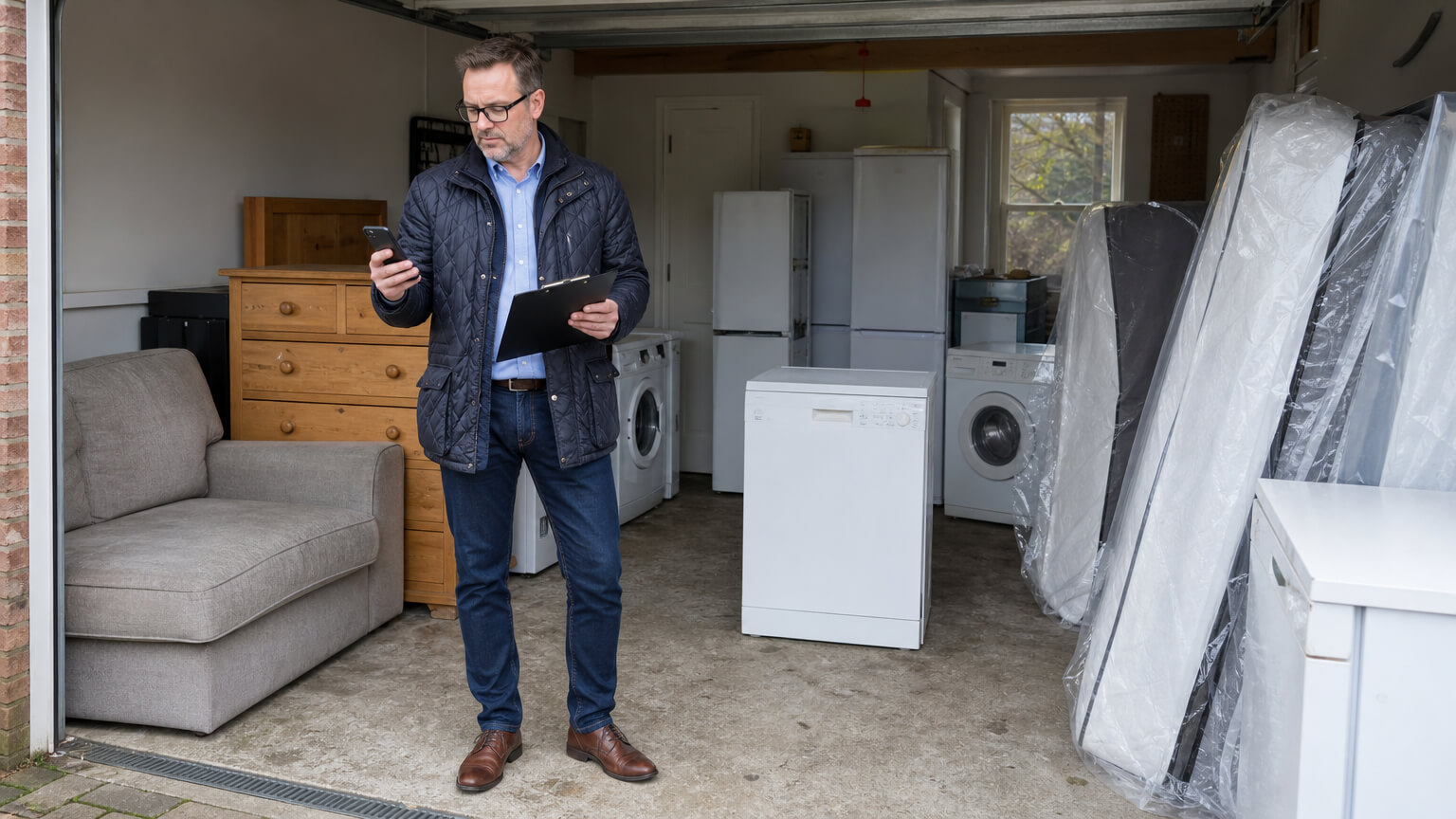
Every three to six months is sensible for anything stored long-term, and our access makes that easy to actually do. You can get in between 6am and 10pm, seven days a week, though hours may vary slightly by location. Units are individually alarmed, so there’s reassurance while things are sitting there. If you retrieve something early, unused paid days are refunded, and if you’re only storing for a short spell during a move, our two-week minimum stay fits that without over-committing.
Getting Your Electronics Into Storage the Right Way
Prep right, and no climate control is needed. That’s the whole point of this guide.
Get a price for your storage unit.
Frequently Asked Questions
No. Our units are clean, dry and secure. Electronics prepped correctly, at the right charge level, wrapped breathably and kept off the floor, store safely without needing climate control.
Wrap it in breathable material rather than sealed plastic, keep it off the floor, and label any cables before you disconnect them.
Yes. Back up your data, charge the battery to around half, and wrap it breathably rather than in sealed plastic.
Removable batteries, camera batteries, remote controls and similar, are best taken out and stored separately in their own bag.
Every three to six months is a sensible interval for anything stored long-term.